
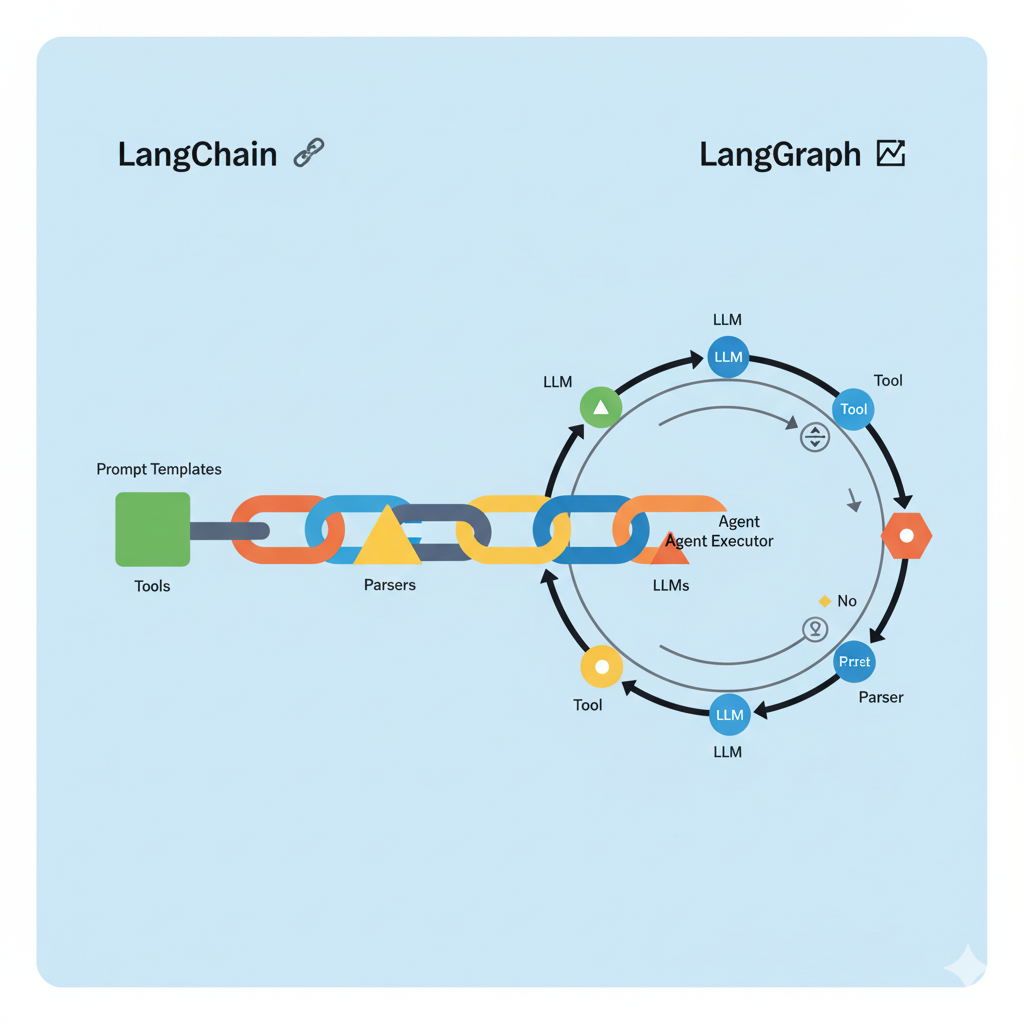
Development with large language models (LLM) typically starts with a simple request-response loop. But as soon as the task moves beyond a simple chatbot and requires the model to perform real actions—like integrating external tools, working with databases, or accessing the file system—we run into a fundamental challenge. The standard model API is inherently stateless and lacks built-in mechanisms for managing complex logic.
A seemingly simple task like “analyze this file, find relevant data online, and generate a report” becomes a complex orchestration challenge:
- How do you manage state and pass context between multiple LLM calls?
- How do you implement cyclical logic, where an agent repeatedly interacts with tools until a goal is met?
- How do you standardize connections to different models (OpenAI, Gemini, local) and tools without rewriting code each time?
LangChain and LangGraph were created to simplify the development of such systems and provide developers with a standardized approach to this orchestration challenge:
- LangChain provides a unified toolkit: standardized interfaces for models, components for prompts, and tools.
- LangGraph is a framework built on top of LangChain that lets you construct the agent’s decision-making logic as a state graph, elegantly solving the problem of cycles and branching.
To better understand their roles, let’s use an analogy.
Imagine you’re building something with LEGO. You have individual bricks (motors, wheels, blocks), but by themselves, they are just parts. To assemble a working machine from them, you need instructions and an understanding of how to connect these parts together.
In the world of AI agents:
- LangChain is your set of high-tech LEGO bricks.
- LangGraph is the advanced instruction manual that lets you assemble these bricks not just into static models, but into dynamic, “smart” mechanisms capable of making decisions.
…
Let’s break down each of these tools separately.
Part 1: LangChain — The Toolkit for Working with LLMs
LangChain’s main goal: to simplify and standardize the interaction between your code and Large Language Models (LLMs). It provides ready-made components (“bricks”) for solving common tasks.
Key LangChain Components (Our “Bricks”):
1. Models
These are wrappers for direct interaction with neural networks. LangChain divides them into two types:
LLMs: The older interface. Takes a string as input, returns a string.- Example:
llm.invoke("What color is the sky?")→"The sky is blue."
- Example:
ChatModels: The modern and more powerful interface. Works with a list of messages (HumanMessage,AIMessage,SystemMessage). This allows the model to better understand the context of a conversation.- Example:
chat.invoke([HumanMessage(content="What color is the sky?")])→AIMessage(content="The sky is usually blue...")
- Example:
LangChain unifies the API. You don’t need to learn how to work with OpenAI, Gemini, or a local Ollama separately. You simply swap one object like
ChatOpenAIforChatGoogleGenerativeAIorChatOllama, and the rest of your code continues to work.
2. Prompts
These are templates for your requests to the model. Instead of manually assembling the request text every time, you create a template with variables.
from langchain_core.prompts import ChatPromptTemplate

template = ChatPromptTemplate.from_messages([
    ("system", "You are a helpful assistant that translates text into {output_language}."),
    ("human", "{text_to_translate}")
])

prompt_value = template.invoke({"output_language": "French", "text_to_translate": "I love programming."})
Prompts make your requests reproducible, safe, and easily modifiable. You separate the logic of forming the request from the logic of calling the model.
3. Chains (and LCEL)
This is the heart of early LangChain. A chain is a sequential connection of several components. Today, this is done using the LangChain Expression Language (LCEL), which looks like a pipe (|).
The simplest chain: prompt | model.
chain = template | get_gemini_llm()
response = chain.invoke({"output_language": "German", "text_to_translate": "Hello, world!"})
# response.content will contain "Hallo, Welt!"
Chains allow you to create simple workflows. For example, first get data from the user, then form a prompt, then send it to the model, and finally, process the response.
4. Output Parsers
Models return text, but in applications, we often need structured data (JSON, a list, a number). Parsers convert the “raw” text response from the model into the desired format.
from langchain_core.output_parsers import JsonOutputParser

# ... create a prompt that asks the model to respond in JSON format
parser = JsonOutputParser()
chain = template | get_openai_llm() | parser

# Now chain.invoke(...) will return not a text object, but a Python dictionary (dict)
So that your code can programmatically work with the result. Instead of trying to extract the necessary data from a string, you get a ready-made object.
5. Tools
This is what gives the model “hands.” A tool is any function that an agent can call. This could be:
- An internet search (
TavilySearch,BraveSearch). - A calculator.
- A function to read a file from the disk.
- A call to your internal API.
A model on its own doesn’t know what the weather is today or what is written in your
report.docxfile. Tools are the only way for it to access external information and perform actions in the real world.
Part 2: LangGraph — The Orchestrator for Creating Agents
If LangChain is the set of parts, then LangGraph is the control system that decides which part to use and when.
The problem LangGraph solves: Classic chains in LangChain are linear. They go from point A to point B. But real tasks are non-linear. They require cycles, branching, and decision-making.
For example, a research agent must:
- Understand the request.
- Decide: Is an internet search necessary?
- If yes → use the search tool.
- Analyze the results.
- Decide: Is the information sufficient?
- If no → return to step 3 with a refined query (this is a cycle).
- If yes → generate the final answer.
Such complex logic cannot be described with a simple chain.
The core idea of LangGraph: to represent an agent’s operation as a state graph (or a flowchart).
Key LangGraph Components (Flowchart Elements):
1. State
This is the central memory of the entire process. It is usually a Python dictionary (TypedDict) that is passed from one step to another. Each step can read data from it and write new data to it.
State Example:
{"user_request": "...", "search_results": [], "final_answer": None}.
2. Nodes
These are the action blocks in your flowchart. Each node is a Python function that:
- Takes the current
stateas input. - Performs some action (calls an LLM, uses a tool).
- Returns the updated
state.
Node Examples:
call_model_node,execute_tool_node,analyze_results_node.
3. Edges
These are the arrows that connect the nodes. They determine which node will be executed next. There are two types of edges:
- Normal Edges: Simply connect node A to node B. After A finishes, B will always be executed.
- Conditional Edges: This is the most important part. After node A, a special “router” function is executed, which looks at the current
stateand decides where to go next: to node B, C, or D.
Conditional Edge Example:
- After calling the model (the
agent_node), we check thestate.- If the model’s response includes a tool call → we go to the
execute_tool_node.- If there is no tool call → we go to the final
ENDnode.
LangChain vs. LangGraph: When to Use What?
| Criterion | LangChain (LCEL Chains) | LangGraph |
|---|---|---|
| Primary Use Case | Simple, linear tasks | Complex, cyclical tasks (agents) |
| Structure | Pipeline (A → B → C) | Graph (flowchart with branching and cycles) |
| Control Flow | Deterministic, predefined | Dynamic, determined at runtime |
| Example Task | 1. Take text. 2. Summarize it. 3. Translate it to another language. | 1. Receive a question. 2. Search the internet until an answer is found. 3. Summarize the findings and answer. |
| Analogy | An assembly line in a factory | A team of people deliberating and making decisions |
Putting It All Together
- User input enters the initial State of the LangGraph.
- The “Agent” Node receives the state. Inside this node is a LangChain chain (
prompt | model | parser). The model, using Tools from LangChain, decides what to do next (e.g., “call search”). Its decision is written to the State. - A Conditional Edge analyzes the state and directs the flow to the “Tool Executor” Node.
- This node performs the actual tool call (e.g., makes a web search) and writes the result back into the State.
- The flow returns to the “Agent” Node (this is a cycle). Now the model sees the search result and makes a new decision.
- The cycle repeats until the model decides the task is complete. Then, the Conditional Edge will direct the flow to the end.